 Charonyu
 SamePhoto · Copy the shots you love In review · coming soon
 Pick a shot.Make it yours.
Start with a pose or technique and see the camera height, zoom and subject position. Outlines and live coaching help you line up the shot.
- No account needed
- Pay once, every feature included
- Photos processed on your device
See how it works
Start with a photo you love.
See the example's zoom, camera height and subject placement before you shoot.
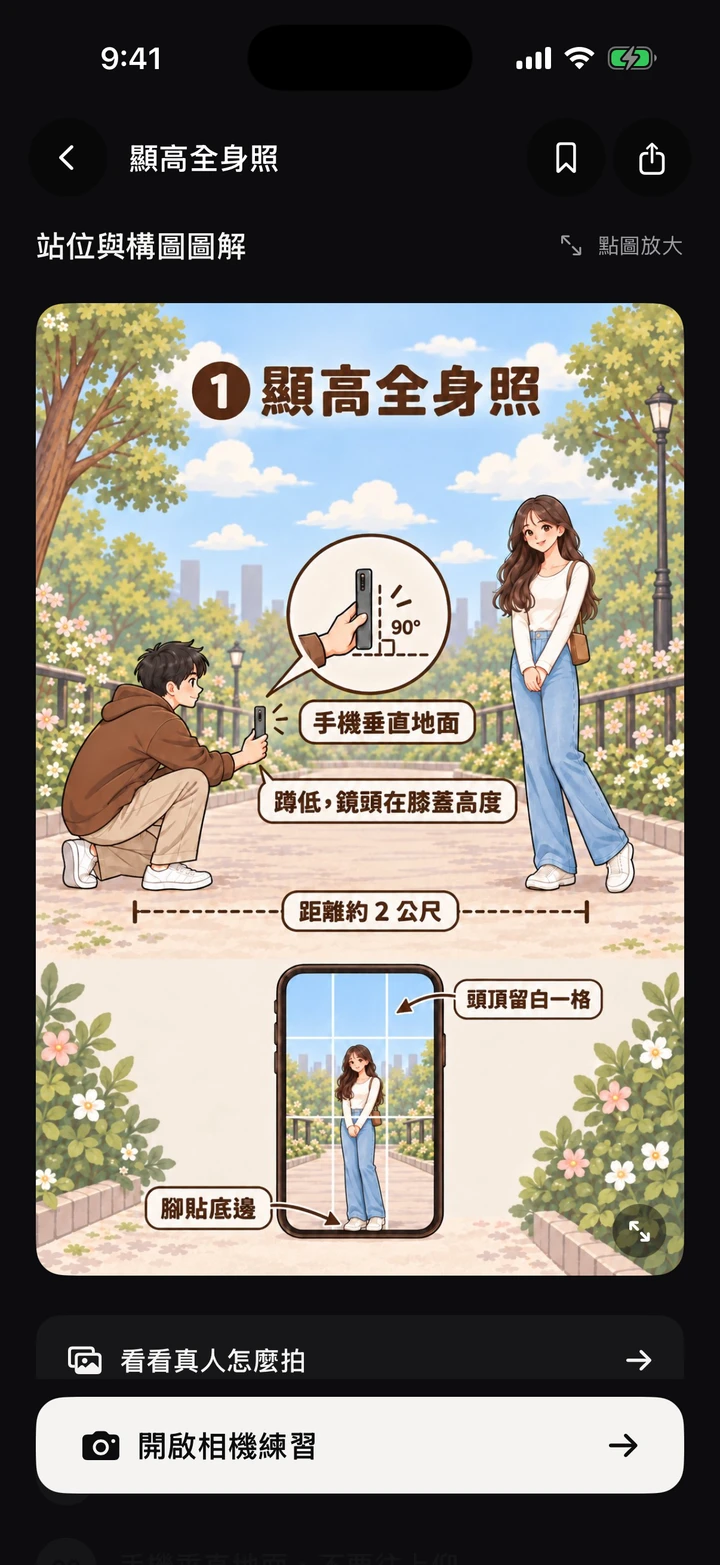
Know where to stand and how to hold the phone.
Illustrated lessons show the shooting position, phone angle and framing. Tap to open the camera and practice.
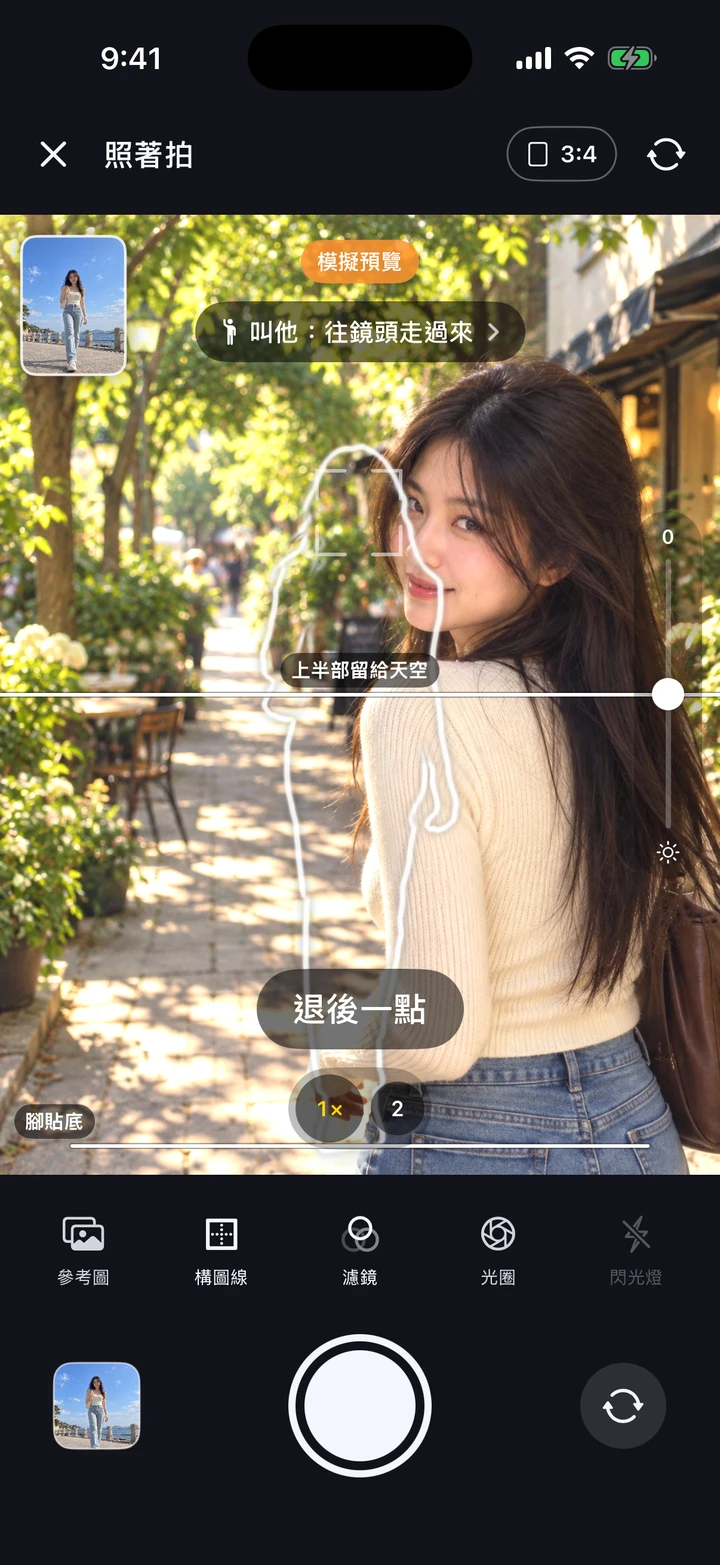
The camera helps you line it up.
Match the outline and composition lines, then follow prompts such as “move farther back”.
Actual app screens · Traditional Chinese interface. The camera uses a simulated preview.
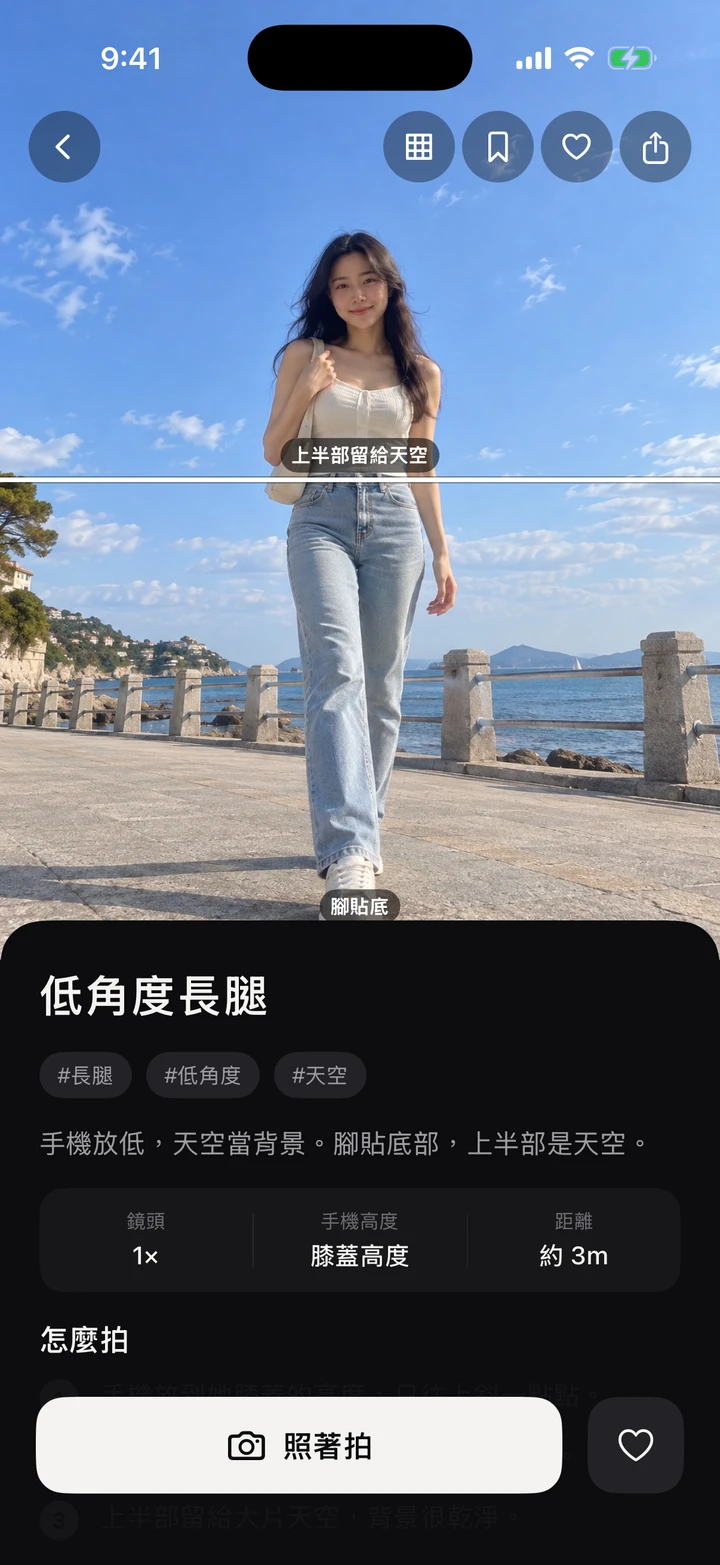
- 1
Pick an example
Browse portraits, couples, friends, food or travel shots, then check the zoom, camera height and distance.
- 2
Follow the coaching
Tap Copy Shot to open the camera. Use the outline and guides, then follow prompts such as “move left” or “move closer”.
- 3
Compare and save
Compare your shot side by side with the example, choose a filter and save it to Photos.
Pick, shoot and learn as you go
Example and lesson images are AI illustrations for composition practice. Outlines and guides only appear in the viewfinder.
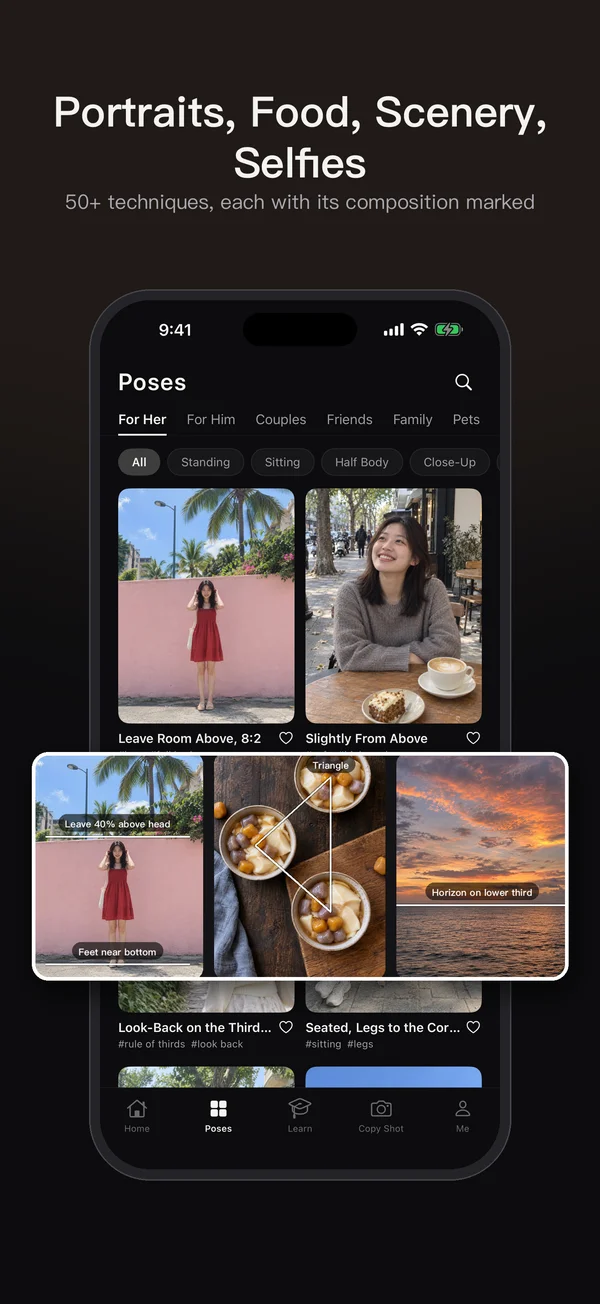
More than 50 techniques
Portraits, couples, friends, family, pets, food, cafés, scenery and city streets, with camera height, zoom and subject placement.
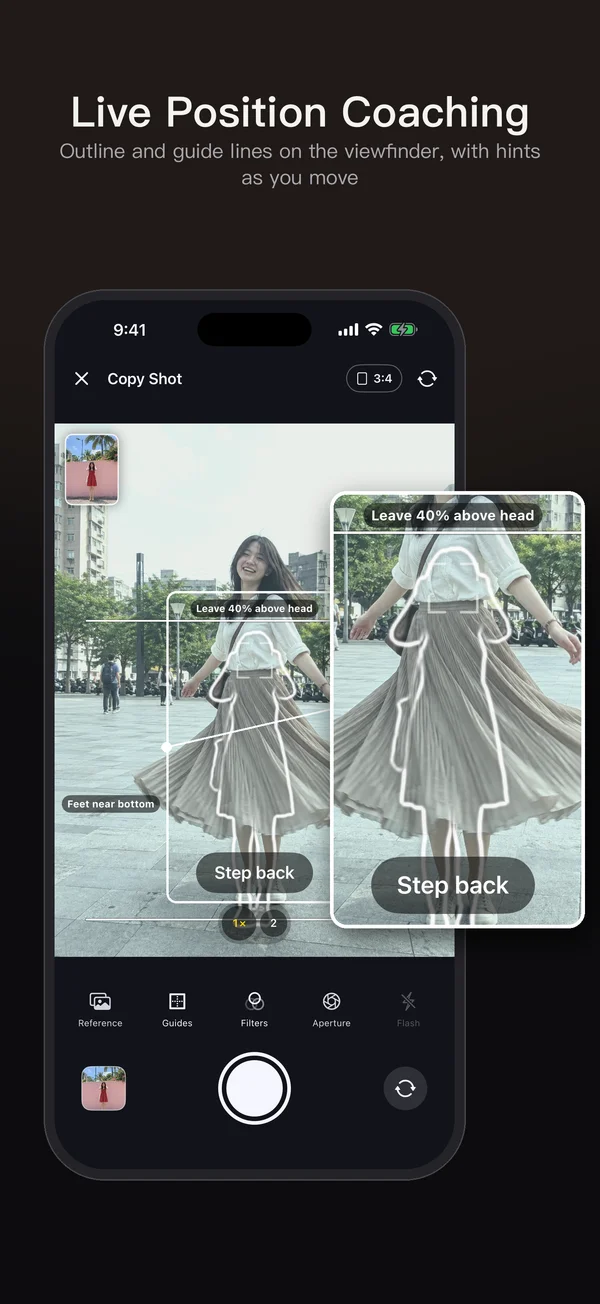
Live position coaching
Outlines and composition lines overlay the camera. Follow prompts to move closer, farther or sideways, until you see “That’s it!”.
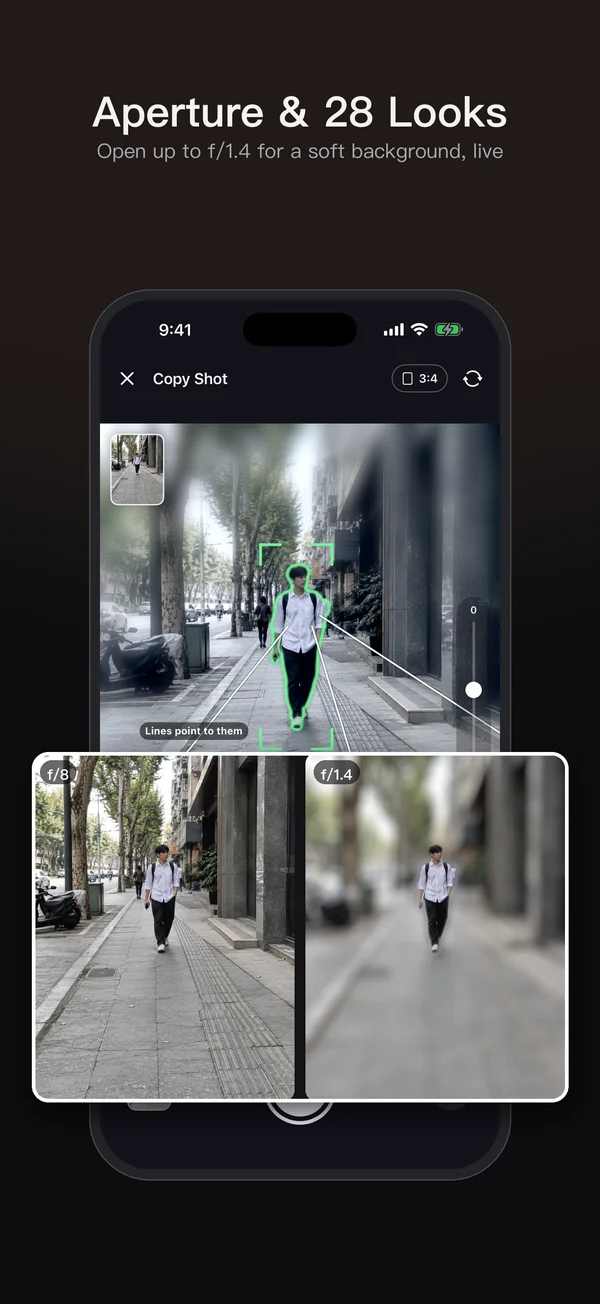
Aperture effect and 28 filters
Preview a soft background and different looks while shooting, then compare with the example and pick a style.
See it in action
All features
NT$90 paid download with every feature included. No in-app purchases, subscriptions or ads; the price shown in the App Store applies.
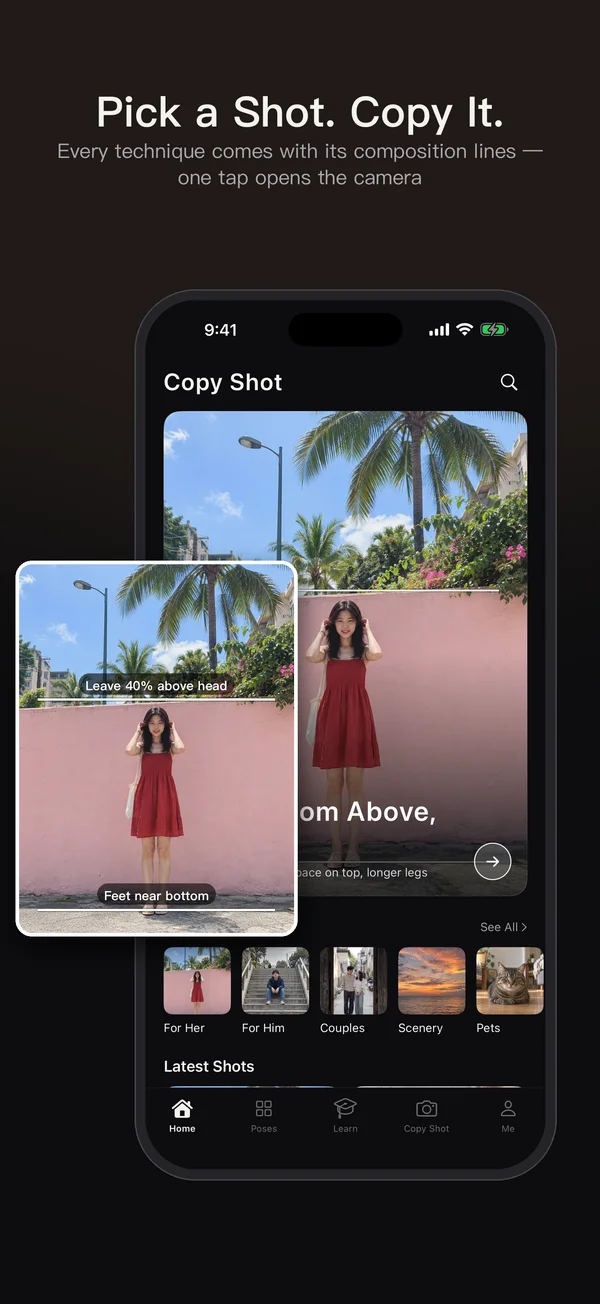
Pose and technique examples
Choose a scene or pose, check the subject placement, camera height, 1× or 2× zoom and shooting distance, then open the camera with the example.
Outlines and live coaching
On-device detection compares subject position and size to suggest moves such as “a little left” or “move closer”. Check that the phone is flat for overhead shots too.
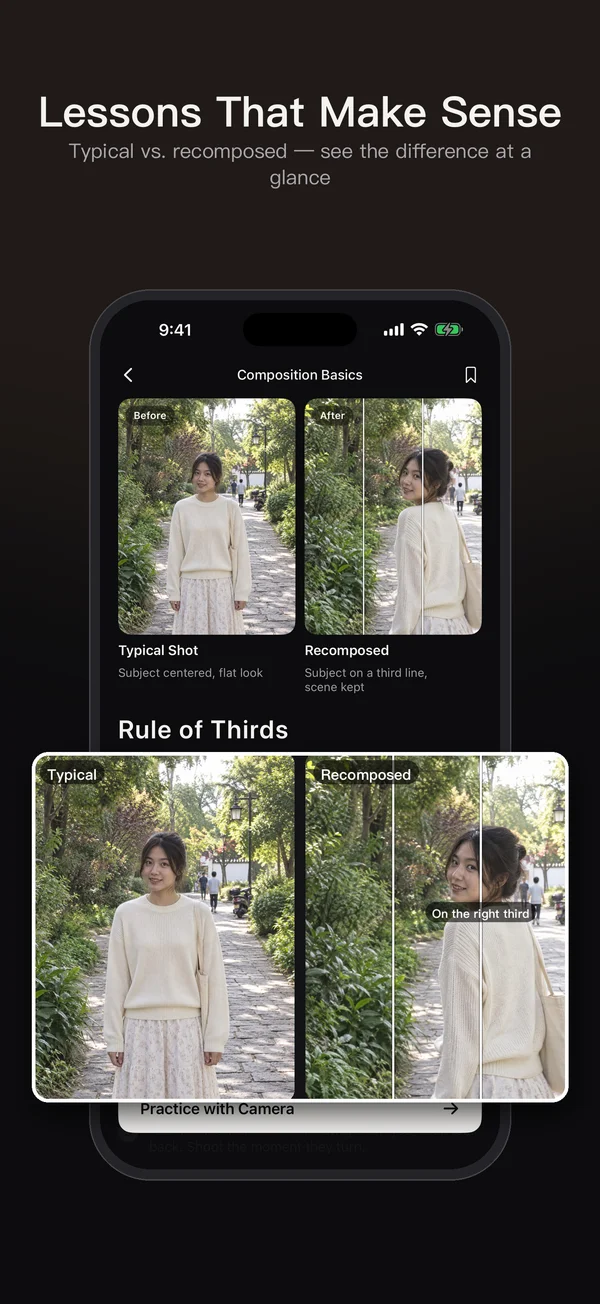
Photo lessons that make sense
Illustrated lessons show where to stand, how high to hold the phone, its angle and the framing. Learn portraits, composition and lighting, then open the camera to practice.
Aperture effect and 28 filters
Adjust the soft-background effect and preview Korean Cream, Japanese Fresh, Fuji Green, Kodak Warm and other looks. Switch filters after shooting too.
Your own references and favorites
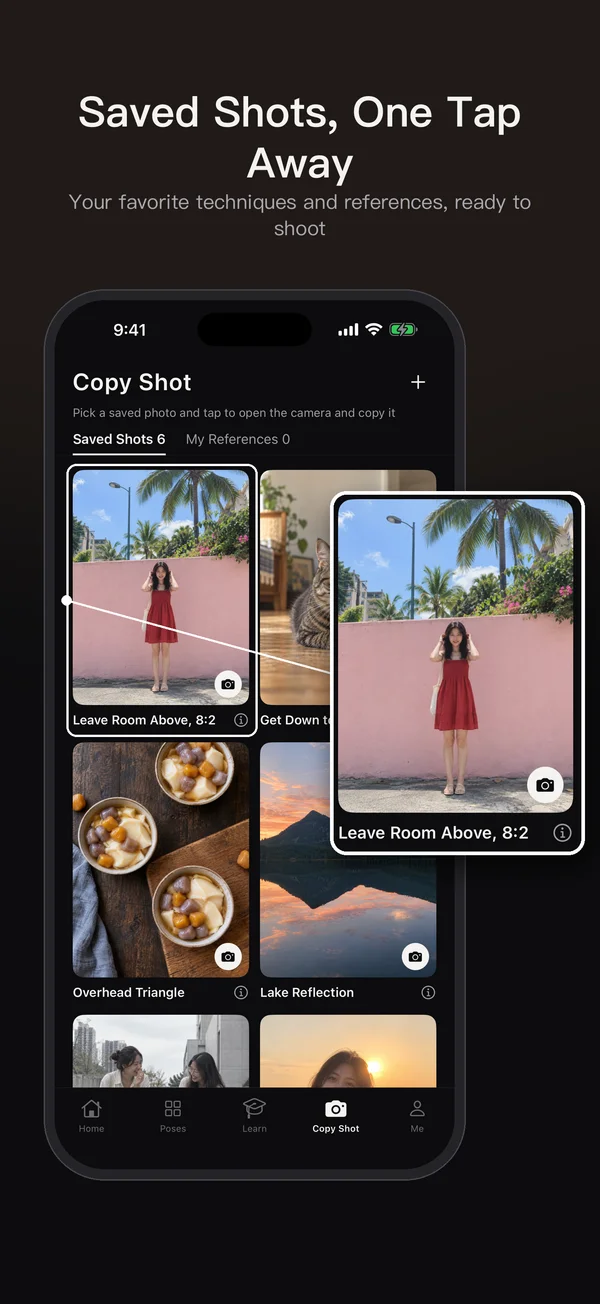
Import a photo from your library and overlay it on the camera. Saved techniques and references live in Copy Shot, ready to reopen with a tap.
Guides and side-by-side comparison
Use 12 composition guides to arrange subjects, space and horizons. Compare your photo with the example after shooting, adjust its look and save.
Photos stay on your device
Photos, references, favorites and edit settings are processed on your device. The app downloads updated example content without uploading your photos.

How to take a photo that matches a reference photo from the internet
To recreate a reference photo, first work out its lens zoom, camera height, distance, subject position and light direction, then match them one by one on location. Includes a pre-shoot checklist and how to overlay the reference on your camera with SamePhoto.
Read the guideAny other questions?
How much does SamePhoto cost?
It is a one-time NT$90 paid download with every feature included. There are no in-app purchases, subscriptions or ads. The price shown in the App Store applies.
Can I use my own reference photo?
Yes. Choose one from your library or add it through another app’s Share sheet. If only a link is shared, save the image and import it first.
Are the example pictures real photo shoots?
Example and lesson images are AI illustrations for photography practice. Your result depends on lighting, distance and the phone you use.
Are the outlines and guides captured in my photo?
No. They only appear in the viewfinder to help align your shot, and are excluded from the exported photo.
Are my photos uploaded? Does the app need internet?
Your photos, videos, references, favorites and edit settings are never uploaded. The app checks for and downloads example updates; if a download fails, it keeps using the content already on your device.
Do I have to buy it again on a new phone?
Download it again from your App Store purchases with the Apple Account used for the original purchase. All features are included without an in-app restore or unlock.
SamePhoto
In review · coming soon · Pre-register to get early access, or to be notified the moment it launches.