 Charonyu
How to use the rule of thirds in phone photos (people and landscapes)
The rule of thirds splits the frame into a 3x3 grid with two horizontal and two vertical lines. Put the subject on a line or near an intersection and the horizon on the upper or lower third. How to place people and landscapes, when to break the rule, and how to turn on the iPhone grid.
 Charonyu・Guide・

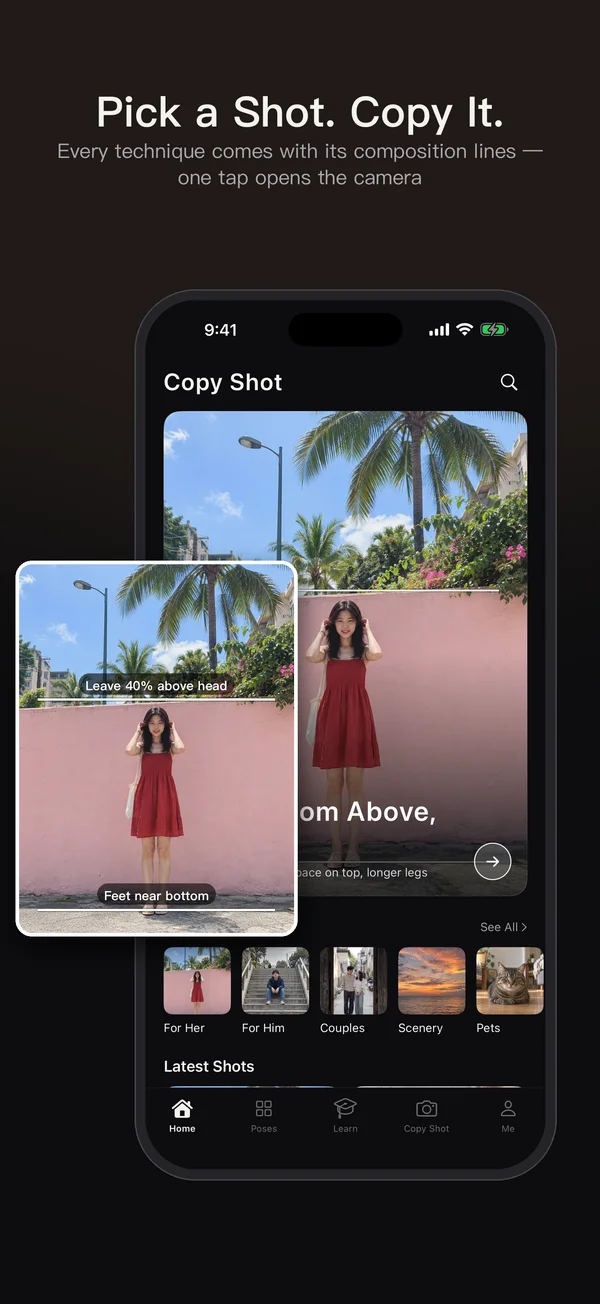
SamePhoto, mentioned in this guide, is currently in review · coming soon and can't be downloaded yet. Until it launches, you can use the built-in methods described here; this spot will turn into a download link once it is live.
Quick answer
The rule of thirds splits the frame into a 3x3 grid with two horizontal and two vertical lines, and puts the subject on a line or near one of the four intersections, not dead center. For people, put the eyes on the upper horizontal line, place the person left or right of center, and leave extra space in the direction they are looking. For landscapes, put the horizon on the upper or lower third. On iPhone you can turn on Grid in Settings > Camera to help, but symmetrical scenes often look better centered.
What is the rule of thirds, and why does it work?
Split the frame evenly into a 3x3 grid and you get two horizontal lines, two vertical lines and four intersections. When the subject sits at these positions, the picture has a relationship between “the subject and the space around it”, which is often livelier than a centered subject. It’s a useful rule of thumb, not a formula that guarantees a good photo.
Its strengths are that it is simple, easy to remember and works right away, which makes it especially good for people just starting to practice composition.
How to place people
- Eyes on the upper horizontal line: for half-body or chest-up close-ups, eyes sit around the upper third, so the top of the head doesn’t touch the edge and there isn’t too much empty space.
- Person on the left or right vertical line: stand the person near the left-third or right-third line and leave the background for the other side.
- Leave room in the direction they look: if the person looks right, put them on the left line so there’s “looking room” on the right. The other way round feels cramped. The same goes for someone walking or running: leave more room in front.
- Don’t crop full-body shots at the joints: ankles, knees and wrists look odd cut by the frame edge. Either include them fully or crop at the thigh or waist.
How to place landscapes
- Great sky, horizon on the lower third: when a sunset, evening glow or clouds are beautiful, let the sky take two thirds.
- Great ground, horizon on the upper third: with flower fields, lakes, beaches or street scenes, let the ground take two thirds.
- Put a single highlight on an intersection: a tree, a lighthouse or a person near one of the four intersections gives the picture a focal point.
- Keep the horizon level: a tilted horizon is the quickest way to make a photo look amateur. Use the level; see How to turn on the iPhone camera grid and level.
When should you break the rule of thirds?
It isn’t the only right answer. Dead center is usually better in these cases:
- Symmetrical scenes: building facades, corridors, bridges, tunnels, doors.
- Reflections: with a lake reflection, put the horizon in the exact middle so the top and bottom mirror.
- Front-facing close-ups and ID-style portraits: centered looks stronger when the subject looks straight at the camera.
- A stable, quiet mood: a subject isolated in the center of a large empty space is also a style.
For other compositions, see Phone photo composition: 12 types explained.
How to turn on the grid on iPhone
Go to Settings > Camera and turn on Grid. When you open the camera, the 3x3 grid appears on screen, and the lines are not captured in the photo. From iOS 17 the same page also has a separate Level toggle, which is worth turning on too, since it helps a lot with landscapes and architecture.
Practicing the rule of thirds with SamePhoto is more intuitive
The iPhone has just one 3x3 grid built in. SamePhoto offers 12 composition guides: besides “Rule of thirds” there are “Upper-third horizon”, “Lower-third horizon”, “Center symmetry”, “Single-subject frame” and more. Switch by scene and drag to adjust their position.
- The guides only help you frame and are not captured in the photo.
- Built-in shooting tutorials for portraits, coffee, food, landscapes and night scenes, with real sample photos and three-step instructions.
- After shooting you can crop and straighten, which can rescue a slightly tilted horizon.
- No account and no ads; photos stay only on your phone.
A quick reminder: after placing the subject on an intersection, tap the subject to focus. A well-composed photo with the focus on the background still won’t look good.
Steps
- 1
Choose the Rule of thirds guide
Open SamePhoto and choose the "Rule of thirds" guide on the camera screen. The 3x3 grid is overlaid on the viewfinder for framing only and is not captured in the photo.
- 2
Line up the subject with an intersection or line
Move the phone so a person's eyes sit on the upper horizontal line and the subject sits near an intersection. Drag the guide to adjust its position if needed.
- 3
Shoot, then fine-tune
After shooting, use the built-in editor to crop and straighten, so the horizon is level and the subject sits where you want it.

Disclosure: SamePhoto is an app developed by this site's author (Charonyu). The built-in methods and other options described here all work without downloading our app.
FAQ
Does the subject have to sit exactly on an intersection?
No. Near an intersection is enough. The point is to move the subject away from the exact center and leave room in the direction it is looking or moving.
Where should the eyes go in a portrait?
For half-body shots or close-ups, eyes near the upper horizontal line look most natural. For full-body shots, keep the head near the upper third and don't crop off the feet.
Should the horizon go on the top or bottom line?
Whichever part is more interesting. For clouds or a sunset, put the horizon on the lower third. For a flower field, lake or street scene, put it on the upper third.
When should I not use the rule of thirds?
For symmetrical buildings, reflections, corridors, front-facing close-ups, or when you want a stable feel, centering the subject usually looks better. The rule of thirds is a starting point, not a rule.
How do I turn on the grid in the iPhone camera?
Go to Settings > Camera and turn on Grid, and the 3x3 grid appears in the camera. From iOS 17, the same page also has a separate Level toggle.