 Charonyu
How to make a Polaroid-style photo collage on iPhone
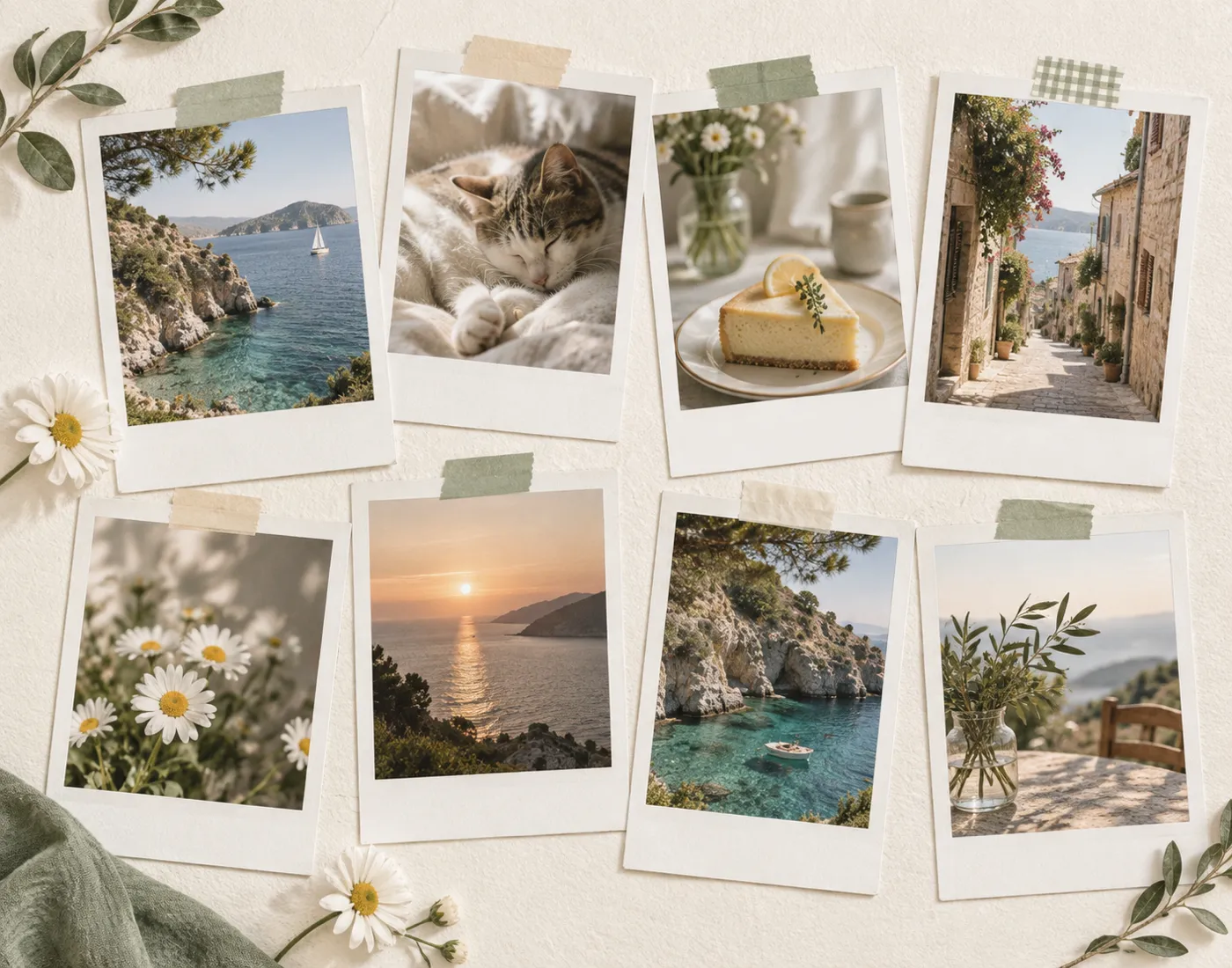
The Polaroid look comes from a white frame (with an extra-wide bottom edge), slightly tilted placement, washi tape or handwriting, and a paper texture. The iPhone Photos app has no collage layouts, so lay it out yourself in a presentation app, or use a collage app with Polaroid templates (such as Picsy), then export in Story or post proportions.
 Charonyu・Guide・

Picsy, mentioned in this guide, is currently coming soon and can't be downloaded yet. Until it launches, you can use the built-in methods described here; this spot will turn into a download link once it is live.
Quick answer
The Polaroid style comes down to this: a white frame around each photo with a noticeably wider bottom edge, placed at a slight tilt, with washi tape, handwriting and a paper-textured background. The iPhone Photos app has no collage layouts. Without installing a collage app, you can use a presentation app such as Keynote: set the slide to the ratio you want, draw white rectangles as frames (leaving the bottom edge wide), place the photos and rotate them slightly, then export as an image. To skip the manual alignment, use a collage app with Polaroid layouts, such as Picsy with its “Polaroid Grid” and “Casual Collage”: choose photos, apply a layout, then export at 9:16, 4:5 or 1:1.
What makes up the Polaroid look?
- A white frame with a wider bottom edge: the bottom border of real Polaroid paper is clearly wider than the other three sides, and it’s the most recognizable feature.
- Photos close to square or a narrow portrait card: paper sizes vary, and the two common shapes are near-square and narrow portrait.
- Casual angles: each photo rotated a few degrees and slightly overlapping feels more like “pinned to a wall” than perfectly aligned.
- Washi tape and handwriting: writing a date, place or a line along the bottom of the frame is the warmest touch of a Polaroid.
- Paper texture and film tones: an off-white, kraft paper or cork background, with slightly warm, lower-contrast color.
How far can the iPhone get on its own?
Editing in the Photos app can crop, adjust brightness and tone, and apply filters, which can give photos a softer film look, but it has no collage layouts and can’t add frames. To put several photos together with white frames, you still need a collage-type app.
You can also do it yourself in a presentation or drawing app: draw white rectangles as frames, place the photos on them and add text. You can get the look you want, but every photo has to be aligned by hand, which takes more time.
Tips for a good Polaroid collage
- Pick photos with similar tones: photos taken on the same day at the same place look the most harmonious together.
- One lead, the rest supporting: make the best photo slightly larger or put it on top.
- Keep rotation small: a few degrees either way is enough; too tilted looks messy.
- Leave some background showing: don’t fill the whole canvas with photos; showing background around them makes each one read as a print.
- Handwriting on the bottom edge: a date, place or a line about the mood, and not too much text.
Use Picsy templates for a Polaroid collage
Picsy offers ten photo layouts, and the ones closest to the Polaroid style are:
- Polaroid Grid: neatly arranged Polaroid frames.
- Casual Collage: a loosely scattered, angled collage feel.
- Film Album, Handwritten Diary, Travel Collage, Photo Dump, Magazine and Minimal Whitespace let you switch to match your mood.
When making one:
- After you choose photos, layout and cropping are automatic, so you don’t have to align anything.
- You can add text, backgrounds and stickers, change the order, and use drag and zoom to adjust each photo.
- Export as JPG or PNG in 9:16, 4:5 or 1:1.
- Free templates and standard export are free; premium templates and high-quality export are paid features. No account is needed, and photos are processed on your device.
The same batch of photos can also become a memory video; see How to turn travel photos into a memory video on iPhone. A finished collage also works well as a Home Screen widget; see How to put your own photo widget on the iPhone Home Screen.
Comparing the approaches
| Approach | Polaroid layouts | Add text | Choose export ratio | Cost |
|---|---|---|---|---|
| Photos app | No (color adjustments only) | No | No | Free |
| Presentation/drawing app by hand | You draw them | Yes | Yes | Depends on the app |
| Generic collage app | Depends on the app | Mostly yes | Mostly yes | Some templates are often paid |
| Picsy | Polaroid Grid, Casual Collage and more | Yes | 9:16 / 4:5 / 1:1 | Free templates and standard export are free; premium templates and high-quality export are paid |
A quick reminder: when posting to Stories, the account name at the top and the reply bar at the bottom cover part of the frame, so keep important photos and text away from the top and bottom edges.
Steps
- 1
Pick your photos
Open Picsy and choose 1 to 30 photos from your library. For a Polaroid style, pick 3 to 9 photos with similar color tones.
- 2
Apply a photo layout
Choose a layout such as Polaroid Grid or Casual Collage, which arranges and crops automatically. Then drag and zoom each photo, add text and stickers, or change the background.
- 3
Choose a ratio and export
Pick 9:16, 4:5 or 1:1 depending on where it's going, and export as JPG or PNG to save to your library or share directly.

Disclosure: Picsy is an app developed by this site's author (Charonyu). The built-in methods and other options described here all work without downloading our app.
FAQ
Why is the bottom of a Polaroid frame wider?
Real Polaroid paper has extra room along the bottom edge for the developing chemicals, so the bottom border is wide, and it's also handy for handwriting a date or note. Keeping that proportion in a digital version makes it look more authentic.
Can the iPhone make photo collages by itself?
Editing in the Photos app is mainly crop, color adjustment and filters. It has no collage layouts, so for a Polaroid collage you need a collage app.
What ratio should I use for a Polaroid collage on Instagram?
Use 9:16 for Stories. For posts, 4:5 takes up more room in the feed, and 1:1 suits a neat grid layout.
How many photos look best?
3 to 6 photos are the easiest for a casual scattered look; for a neat grid you can use 4 or 9. With too many, each photo gets tiny and the white frames lose their feel.