 Charonyu
 Picsy · Photo and video memories Coming soon
 Hold on tothe ordinary days.
Pick a few moments and turn them into a photo collage or a short memory video.
- No account needed
- Processed on your device
- No ads

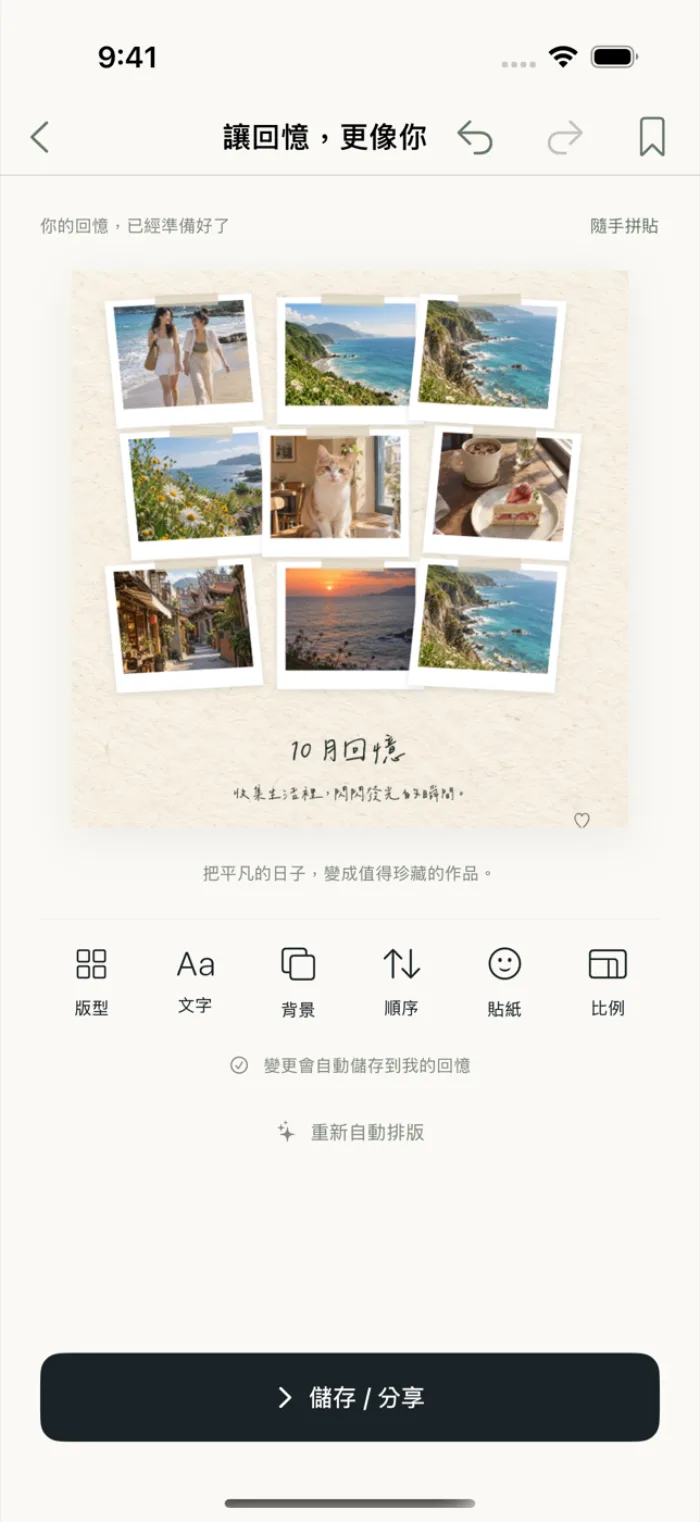
The good days
are still here.
- 1
Pick photos and videos
Choose 1 to 30 favorite moments from your library.
- 2
Choose a template
Apply a style, and it lays out, crops and builds automatically.
- 3
Save and share
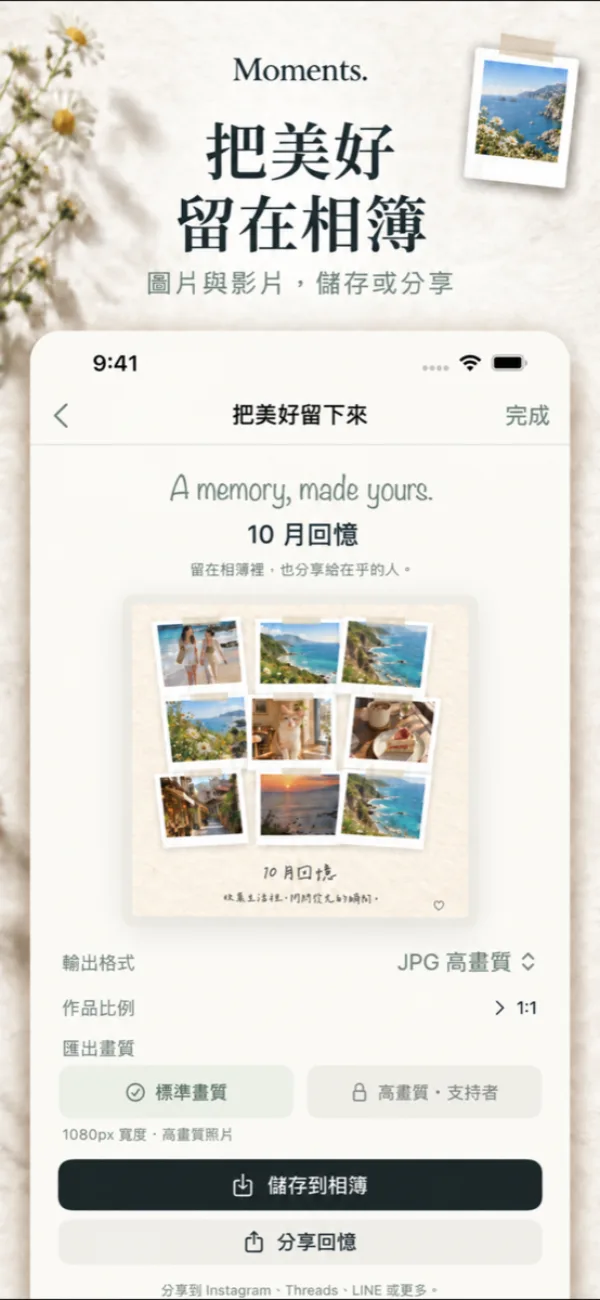
Export in 9:16, 4:5 or 1:1 and share with the people who matter.
Each with its own look
The same photos can carry a different mood.
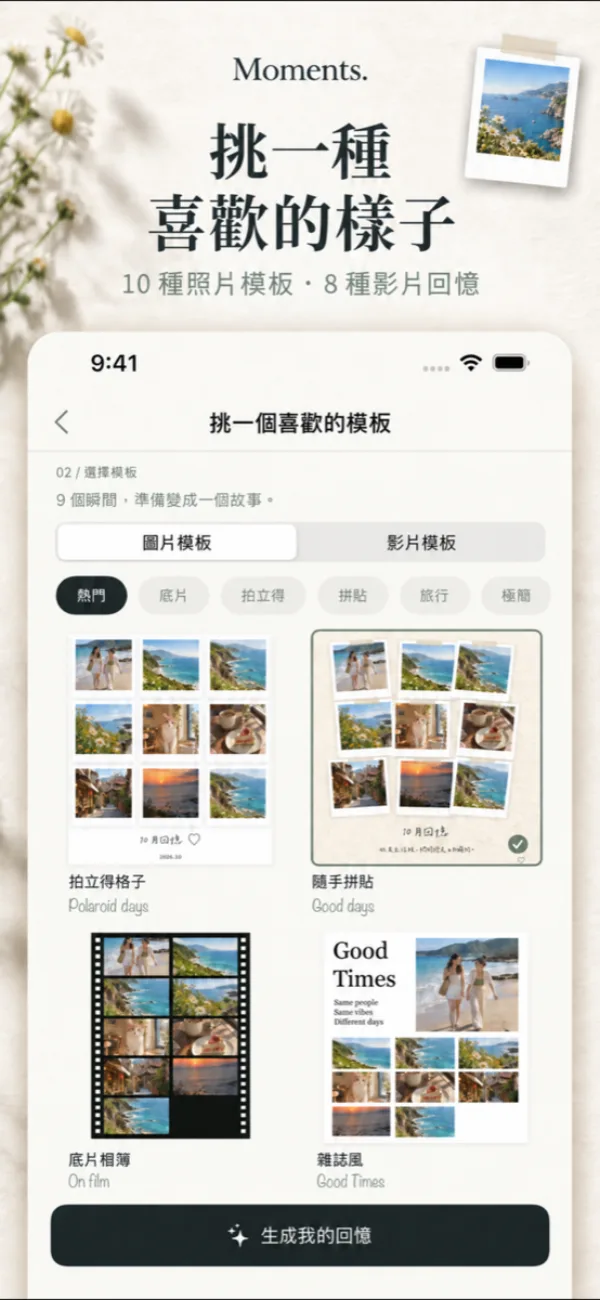
Ten photo layouts
Polaroid grid, casual collage, film album, magazine, handwritten journal, travel collage and more.
Eight video memories
This Month, Film Reel, Travel Vlog, Daily Life and more, with original music built in.
Memories picked for you
This month, on this day and trips, picked automatically on your phone.
See it in action
All features
Free to download. Free templates and standard export are free; premium templates and high-quality export are paid features (pricing will be announced at launch).
Ten photo layouts
Polaroid grid, casual collage, film album, magazine, minimal whitespace, handwritten journal, travel collage, Photo Dump, heart photo wall and torn-paper collage.
Eight video memories
This Month, Film Reel, Polaroid Memories, Travel Vlog, Daily Life, Cinematic Diary, Photo Dump Video and Scrapbook Animation, with motion, transitions, text and original built-in music.
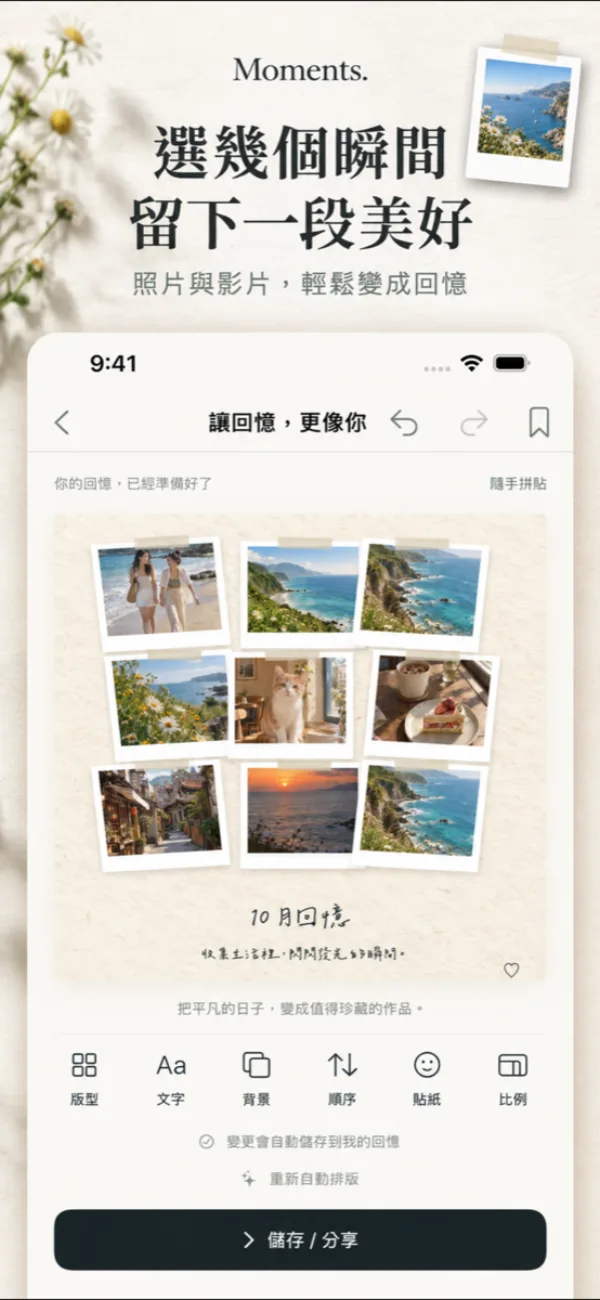
Auto layout
Layout and cropping are automatic, so there's no timeline to cut yourself.
Simple editing
Text, backgrounds, stickers and ordering. Drag and scale to adjust each photo.
Export and share
JPG, PNG and MP4 in 9:16, 4:5, 1:1 and more ratios.
Backup
Save one backup file to the Files app or iCloud Drive.

How to turn travel photos into a memory video on iPhone
Put your trip photos in one album and play it as a Memory slideshow in the Photos app, then change the music, look, and length before sharing. iPhones with Apple Intelligence can also build one from a text description. For more editing room use iMovie Magic Movie; for a fixed 9:16 output use an app that lets you pick a ratio, such as the video templates in Picsy.
Read the guideAny other questions?
Do I need an account?
No. Photos, videos and your creations are processed and stored on your device.
Does it support iPad?
Yes, it supports both iPhone and iPad.
Picsy: Photo & Video Memories
Coming soon · Pre-register to get early access, or to be notified the moment it launches.